FabFilter Total Bundle Price Hike: What It Costs Now and Who Should Still Buy In
I do not have a verified price for the FabFilter Total Bundle in front of me, and I will not invent one. What I can do is lay out what the bundle actually contains, what the individual licenses cost when bought apart, how FabFilter’s upgrade path works, and a straight answer on who the full bundle is for and who should walk away. If you are staring at a checkout page wondering whether the number is fair, this is the reasoning to apply.
What is actually in the Total Bundle
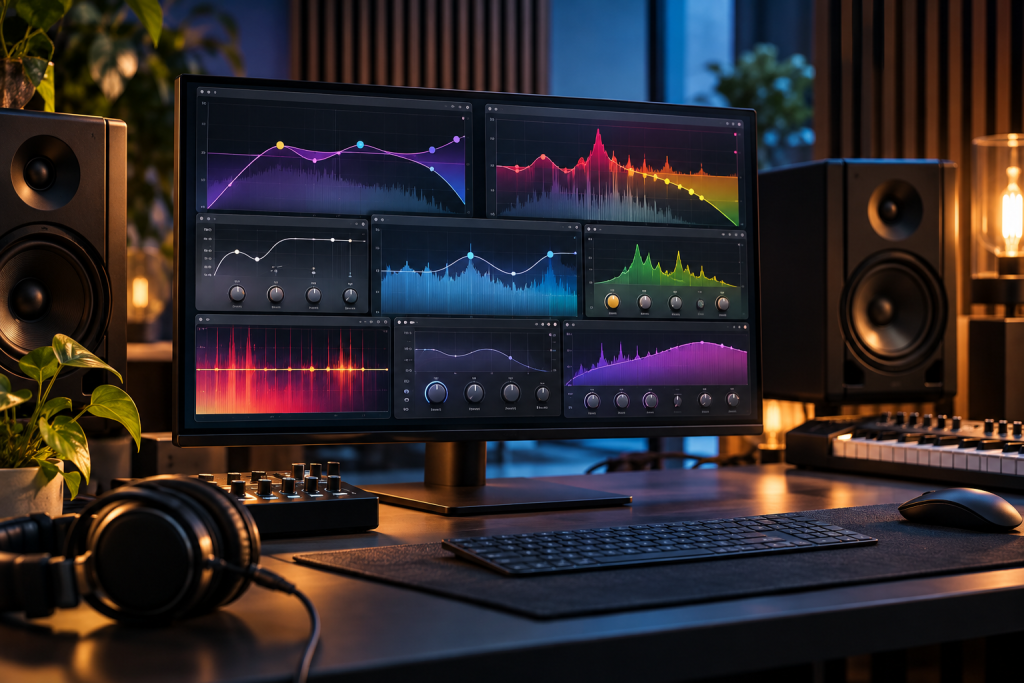
FabFilter sells a set of mixing and mastering plugins that most home and project studios end up touching at some point. The Total Bundle is the everything license, covering the full range: the Pro-Q equaliser family, Pro-C and Pro-MB dynamics, Pro-L limiter, Pro-R reverb, Pro-DS de-esser, Pro-G gate, the Saturn and Volcano creative processors, Timeless delay, Twin and One synths, the Micro and Simplon utility plugins, and Pro-L’s loudness metering. You buy it once for your platform and you get the whole set, with free updates within that major version.
How the pricing actually works
Two things drive the number you see at checkout. The first is list price per plugin. Each FabFilter plugin is sold individually, and the Pro series sit at the top of that ladder. The second is the upgrade path. FabFilter gives existing owners a credit toward bigger bundles, so if you already own Pro-Q, the cost of moving up to the Total Bundle is reduced by what you have already spent. The bundle price on the product page is the sticker price for someone starting from zero. Check your account before you assume the listed figure applies to you.
The other thing worth knowing is that FabFilter runs sales. The usual pattern is a discount around Black Friday and occasionally mid-year. If you can wait, waiting usually costs you nothing and can save a meaningful percentage off a four-figure purchase. I have never seen FabFilter discounts hit a level that makes the individual plugins cheap, but they move the bundle number enough to matter on a purchase this size.
Who the Total Bundle is genuinely for
If you mix other people’s music for money, the Total Bundle is easy to justify. You are not buying a plugin, you are buying a toolset that clients expect you to have. Pro-Q alone is the equaliser most mixers reach for by default because of the dynamic EQ and the spectrum grab, and having Pro-C, Pro-MB and Pro-L in the same house style means less time fighting interfaces and more time working. On a commercial project the bundle pays for itself within a couple of jobs.
If you produce your own material and you are already deep into a DAW and a workflow, the bundle makes sense once you find yourself buying individual FabFilter plugins one at a time. Four or five separate purchases in, the bundle price after your upgrade credit is usually the cheaper route forward. Run the numbers against your account before you click buy individually.
Who should skip it
Most people reading this should not buy the Total Bundle. That is not a knock on the plugins. It is that the bundle is priced for people who will use most of the set, and most home producers will genuinely use three or four of them and never open the rest. Buying Pro-Q, Pro-C and Pro-L individually, or picking the two or three you actually reach for, costs far less and gets you 90 percent of the value.
If you are on a tight budget, skip the bundle entirely and look at what your DAW already gives you. Modern DAWs ship with competent stock EQs, compressors and limiters. The free options in the wider audio world are strong too. If your money is tight and your problem is editing, Resolve’s free tier covers a full editing, colour and audio suite at no cost, and the community tools around it are mature enough to carry real work (windowsforum, 2026). FabFilter is a luxury purchase compared with that, and it should be treated as one.
The quiet downsides
FabFilter’s licensing is per-platform. Buy the Windows or macOS license and you can run the bundle on one machine at a time, with the option to move the license between machines. If you work across Windows and Mac regularly, check the license terms on the product page before you commit, because cross-platform use is a separate consideration and not something the sticker price implies.
Version cycles are another thing to understand. FabFilter does not charge for point updates within a major version, but a full version bump eventually means a paid upgrade tier for the bundle. That is standard for the industry, and FabFilter is not aggressive about it, but it is a cost that will land some years after your initial purchase and it should sit in your plan.
Alternatives worth comparing before you buy
If you want the FabFilter sound but not the full price, buying the single plugins you actually use is the obvious first stop. Pro-Q and Pro-L on their own cover most of what makes the bundle worth having for a self-producing musician.
If you are weighing the Total Bundle against another big plugin purchase, look at what else is on sale. Waves runs frequent discounts and the bundles often drop below the Total Bundle price during a sale, though the licensing model and update fees are different and worth reading before you jump. For mixing without spending anything, the stock plugins in Reaper and the free offerings in the wider ecosystem do more than people give them credit for, and the wider trend toward capable free software has picked up considerably over the last couple of years (windowsforum, 2026).
If your actual problem is not plugins but audio dropouts, crackles or a monitoring chain that is misbehaving, no bundle fixes that. That is a system and interface problem, and the fix is cheaper than any plugin purchase.
My verdict
Buy the Total Bundle if you mix professionally, or if you already own enough individual FabFilter plugins that the upgrade credit brings the bundle down to a fair number. Wait for a sale if you can. Buy individual plugins if you are a home producer who uses three or four tools and does not need the rest. Skip it entirely if your budget is tight, because a DAW’s stock plugins and the free ecosystem will carry you further than a mid four-figure plugin pack on a machine that is also running free editing and audio tools.
Do not buy it because it is on sale and you are afraid of missing the discount. That is how people end up owning Pro-DS and never opening it.